- Product Updates
- Posts
- New: Subfolders, subtopics & new visuals
New: Subfolders, subtopics & new visuals

Haseeb Hamid
November 16, 2025
Hey there 👋
We’ve just introduced Subfolders and Subtopics.
These updates make organising, studying and navigating content on MedSnapp smoother than ever before.
🗂️ Subfolders
Now you can also create subfolders inside folders to organise your own question and flashcard bank however you like.
This level of modularity allows you to make MedSnapp your own personalised resource for studying, tailored to your university and learning content.
Step by Step Guide
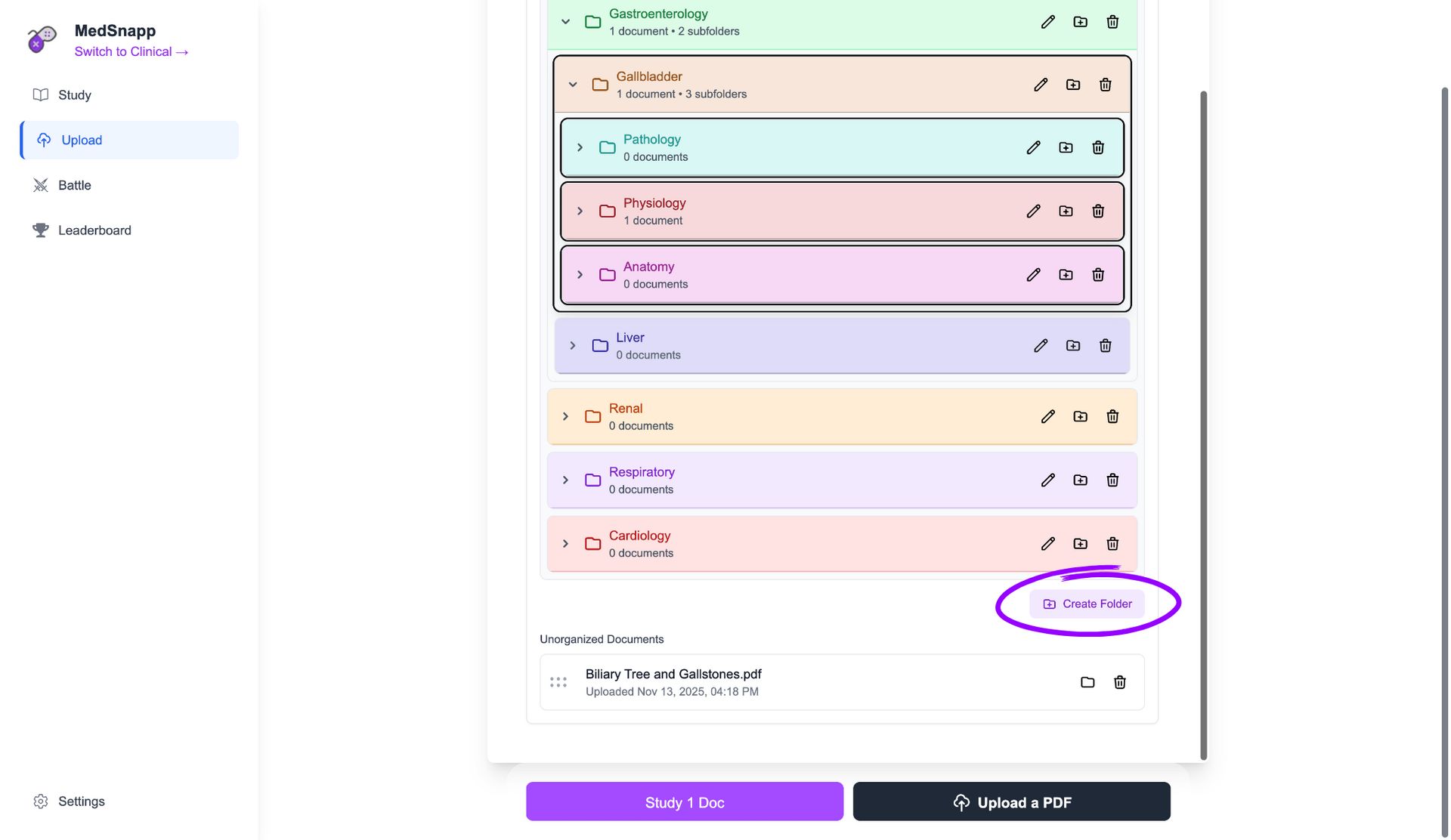
Click “Create Folder”.
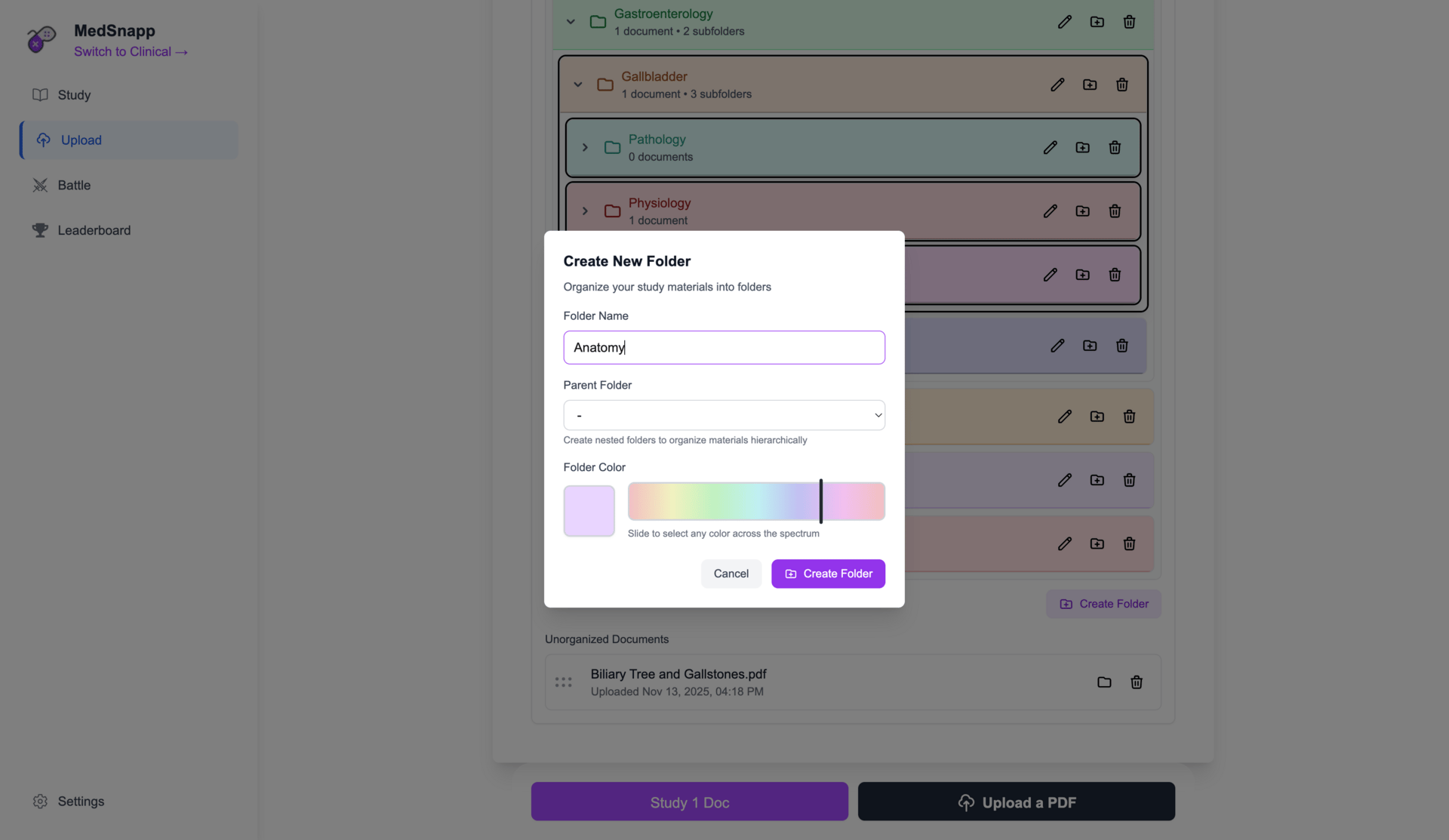
Name folder.
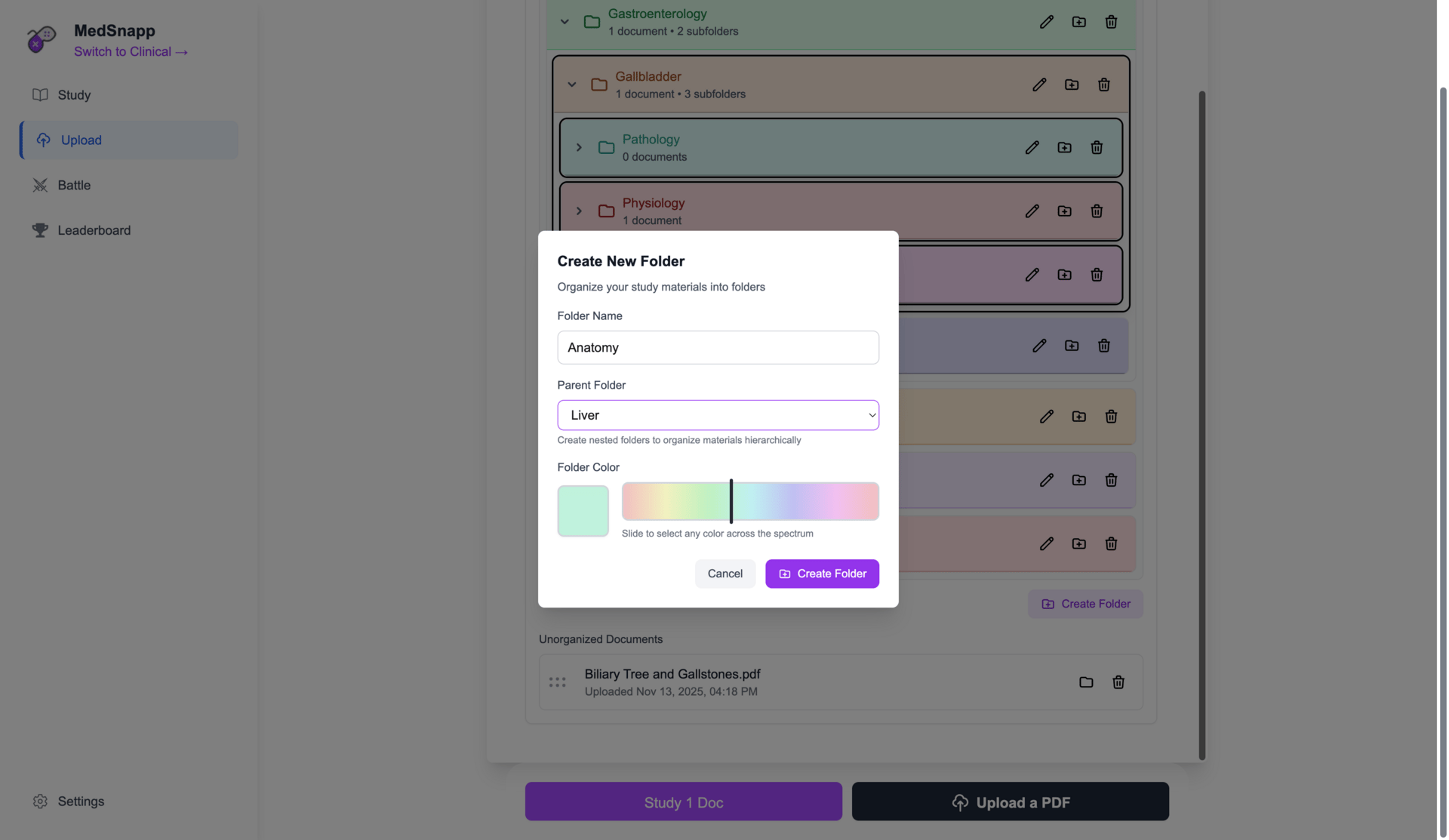
Choose parent folder.

Choose colour.
View subfolders.
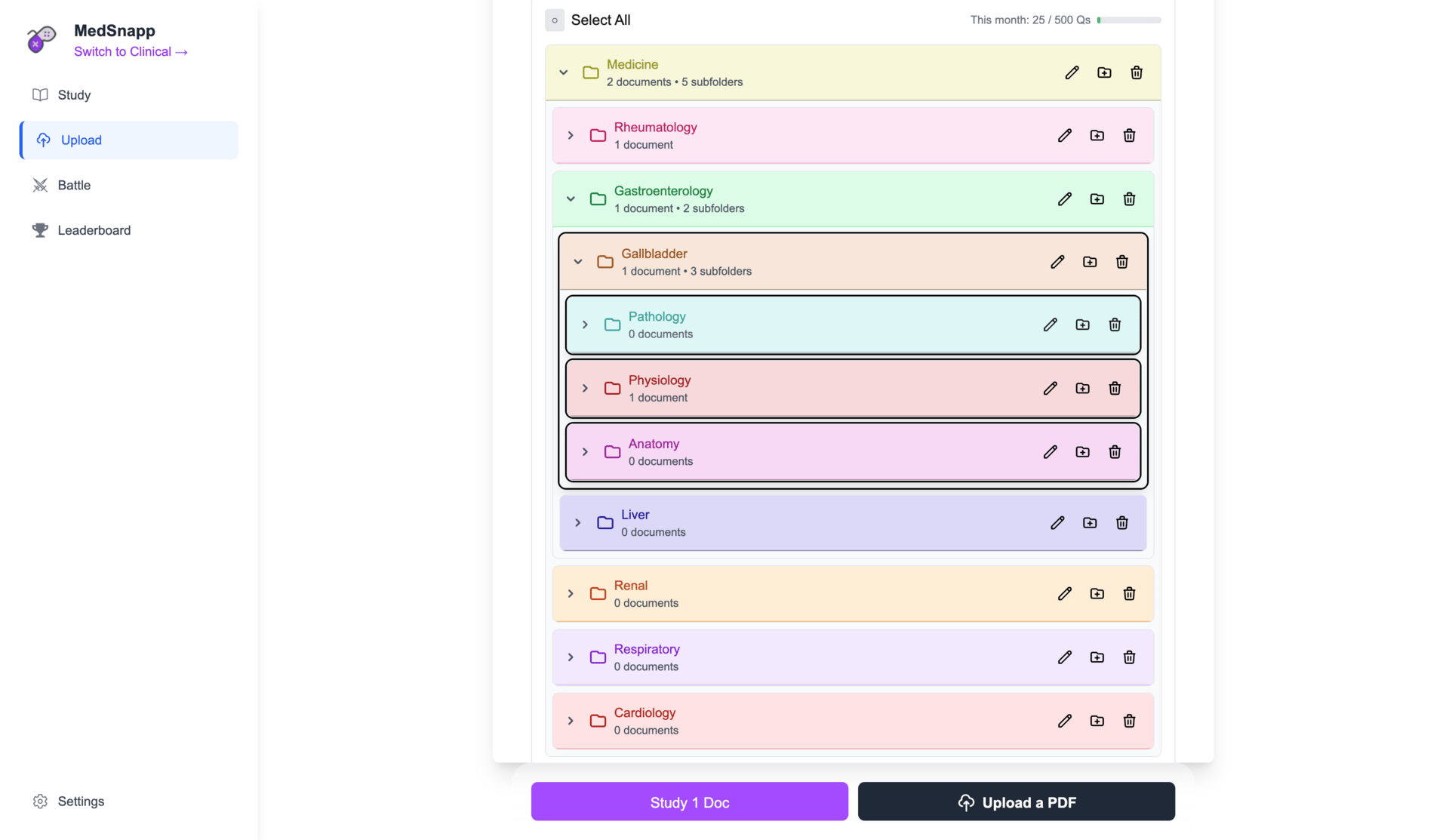
Stay organised across multiple topics - ideal for separating lecture notes, questions and PDFs within each subject.
🧠 Subtopics
You can now drill down into specific subtopics within each subject.
Perfect for focused revision - choose exactly what you want to study under a main topic or body system.

You can now drill down into specific subtopics within each subject.
Spend less time searching and more time learning.
Now you only need to focus only on the areas you want to master. 🤓
🎨 Updated Icons
We’ve also refreshed all topic icons to make MedSnapp more visual and engaging.
Each subject now features distinct, vibrant icons for quicker recognition and a cleaner interface.
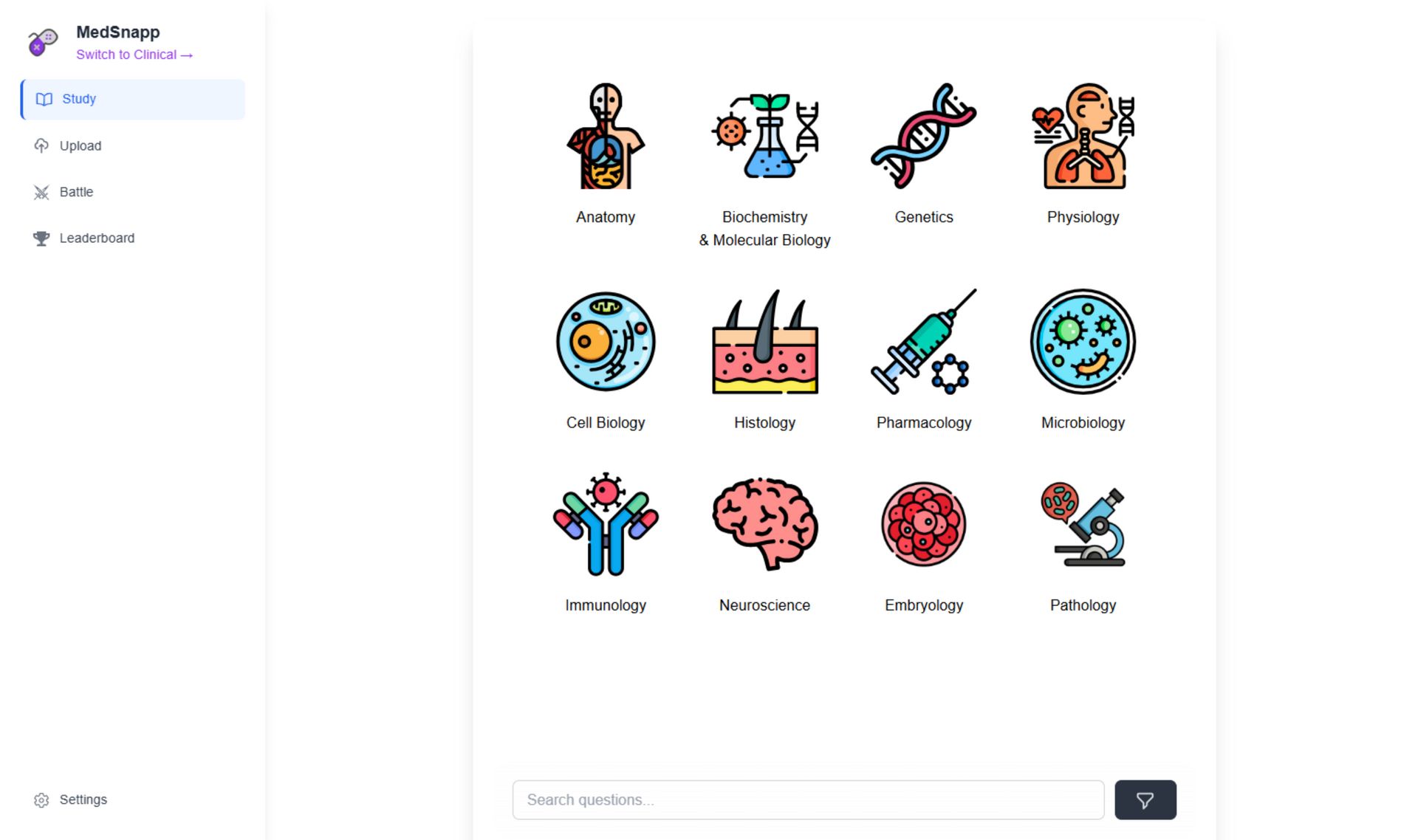
It’s all part of making MedSnapp faster, cleaner and smarter for your studies.
No clutter. No confusion. Just the tools you need - exactly where you need them. 😎
You can try MedSnapp here.
Haseeb ✌️
Co-founder & CEO, MedSnapp